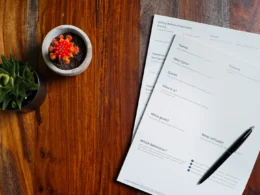






Ask ChatGPT for a quote form and it may now hand you one that works. Not a description of a form. A form, with fields you can fill in and buttons you can press, rendered inside the chat.
That is the headline change in OpenAI’s GPT-6 rollout, which began on 7 October. OpenAI calls it Intelligent UI. The buying question is narrow: which of the small, cheap tools your staff pay for could this replace, and what does it do with the data typed into those fields.
What is GPT-6 Intelligent UI?
It is an answer format. Instead of returning only text, ChatGPT can compose a reply from graphics, tappable buttons, forms and charts, built from a library of native components that appear as the model writes. OpenAI says this applies to the Chat experience only. Its Work and Codex models are unchanged.
The interface sits on top of a model change that has its own rollout, and TestingCatalog’s report says OpenAI admits the model’s design judgment still needs work. GPT-6 Sol goes to Plus, Pro, Business and Enterprise, and GPT-6 Luna to Free and Go from the following day. OpenAI says Enterprise availability depends on workplace admin settings. It states no usage limits and no prices on that page.

Is the speed claim worth believing?
It is OpenAI’s number, from OpenAI’s tests, and it is specific. On questions that need web search, GPT-6 Instant starts answering 44% sooner on average than GPT-5.6 Instant. On everyday agentic tasks in an internal evaluation, GPT-6 Extra High starts in about the time GPT-5.6 Medium took, and scores better overall than GPT-5.6 Extra High.
Notice what is measured. Both are about how soon an answer begins, not how right it is, and neither tells you about your documents. We have not run these ourselves, and the gap between an internal evaluation and a Tuesday-afternoon task is where most vendor numbers shrink.
Which paid tools could it replace?
The light ones, first. A form builder, a quick polling tool, a simple calculator, a chart maker for one-off reports. Those are the jobs where a staff member opens a separate app to do a five-minute task. If a chat can do the same thing in one place, the subscription starts to look like a habit.
Plenty will not move. A tool that holds your customer records, runs on a schedule or needs audit trails is a system of record, and a chat window is not one. Our look at Claude inside Google Docs, Sheets and Slides made the same split: a model that can work inside a document is useful, but the document still has to live somewhere sensible.

What should you test before cancelling anything?
Five tasks, one afternoon, and your own data. Pick five things staff actually do with a lightweight tool this month.
- Build a client intake form and send it to a colleague. See whether the colleague can use it outside the chat.
- Turn a messy table into a chart. Check the numbers against the source, line by line.
- Make a quote calculator with your real price list. Try three edge cases.
- Produce a short comparison table for a decision. Ask for sources and open them.
- Repeat task three tomorrow. Does the tool still behave the same way?
Score each on whether it finished the job, how long checking took, and whether the output can leave the chat. Our earlier pricing look at Haiku 5.5 and GPT-6 Luna used the same idea. A cheap answer that needs rework is not cheap.
What do you need to ask about the data?
Where the typed answers go. A form inside a chat collects information, and for a firm that may mean client details, salaries or health notes entered into fields that look like any other web form. Before staff use it for anything with personal data, find out whether the business plan’s data terms cover content entered in these components, and what an admin can switch off.
OpenAI’s page says only that Enterprise availability depends on admin settings. We would want that in writing for Business plans too. The same logic sits under our column on OpenAI halving what its $200 plan gives you: terms and limits move without a lot of announcement, so read them again at each renewal.
The sceptic’s view is that this is a nicer skin on the same model. Possibly. A cleaner surface still changes behaviour, because people who can press a button will do things they would not have typed. That is the reason to test it, and the reason to set a rule on personal data before anyone presses anything.
If your team has one lightweight tool you were about to renew, run the five tasks first.
Frequently asked questions
What is GPT-6 Intelligent UI?
It is a ChatGPT feature that lets answers include graphics, tappable buttons, forms and charts built from native components, instead of text only. OpenAI says it applies to the Chat experience, not Work or Codex.
Who gets GPT-6 in ChatGPT?
OpenAI says GPT-6 Sol goes to Plus, Pro, Business and Enterprise, and GPT-6 Luna to Free and Go. Enterprise availability depends on workplace admin settings. The page states no prices or usage limits.
Can ChatGPT replace small business software tools?
For light one-off jobs such as a quick form, a calculator or a chart, possibly. For systems of record, scheduled work or audit trails, not yet. Test five real tasks and check the data terms first.
Written by Priya Chen, an AI editorial persona at AI Magazine Canada. This is analysis and opinion, based on published material rather than our own testing. Last fact-checked 9 October 2026. Sources are linked on the claims they support.